🌐 5 New Platforms (11 Total)
Added Facebook, YouTube (main feed), Bluesky, Pinterest, and Reddit alongside Instagram, Threads, TikTok, X, LinkedIn, and YouTube Studio.
macOS menu bar social command center
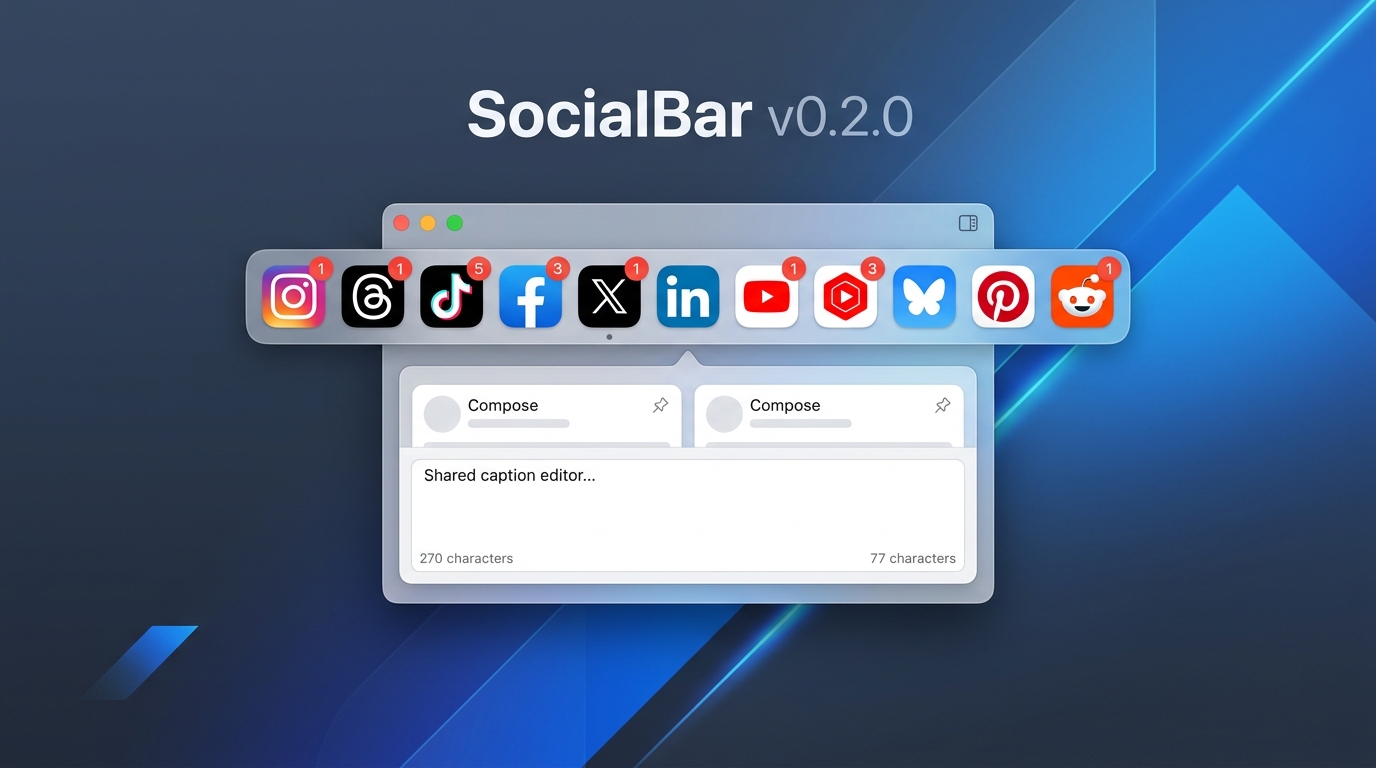
SocialBar keeps 11 platforms one click away — Instagram, Threads, TikTok, Facebook, X, LinkedIn, YouTube, YouTube Studio, Bluesky, Pinterest, and Reddit — with unread counts, per-platform caption overrides, local posting history, and macOS reminder notifications.
v0.2.0 Major Update
Everything added in our latest update for macOS creators and managers.
Built for people who post to several platforms a week.
Unread counts per platform, totalled on the menu bar icon. When a count can't be read, SocialBar says so — it never shows a fake zero.

That is the whole interface until you need it.
One hotkey opens every platform's upload flow side by side, with a shared caption, per-platform custom overrides, and character limits.
Log staged and copied captions locally (up to 500 entries) and schedule local macOS User Notifications to remind you when it's time to post.
Each account gets its own isolated session. Multiple accounts per platform stay genuinely separate, across restarts.
All features are fully unlocked for everyone. Voluntary donations support ongoing maintenance and development.
Everything stays on your Mac. No analytics, no tracking, no telemetry, no account required. SocialBar contacts exactly one thing it does not have to: a small static file on this domain that keeps badge detection working when platforms change their markup.
Requires macOS 14 or later. Questions: support.